
Room four
The Drummer
A jazz drummer who knows the tune. Pick a standard and he plays its form: the head, the solos, the head out, setting up the bridge and filling into each chorus. Then keep it as MIDI.
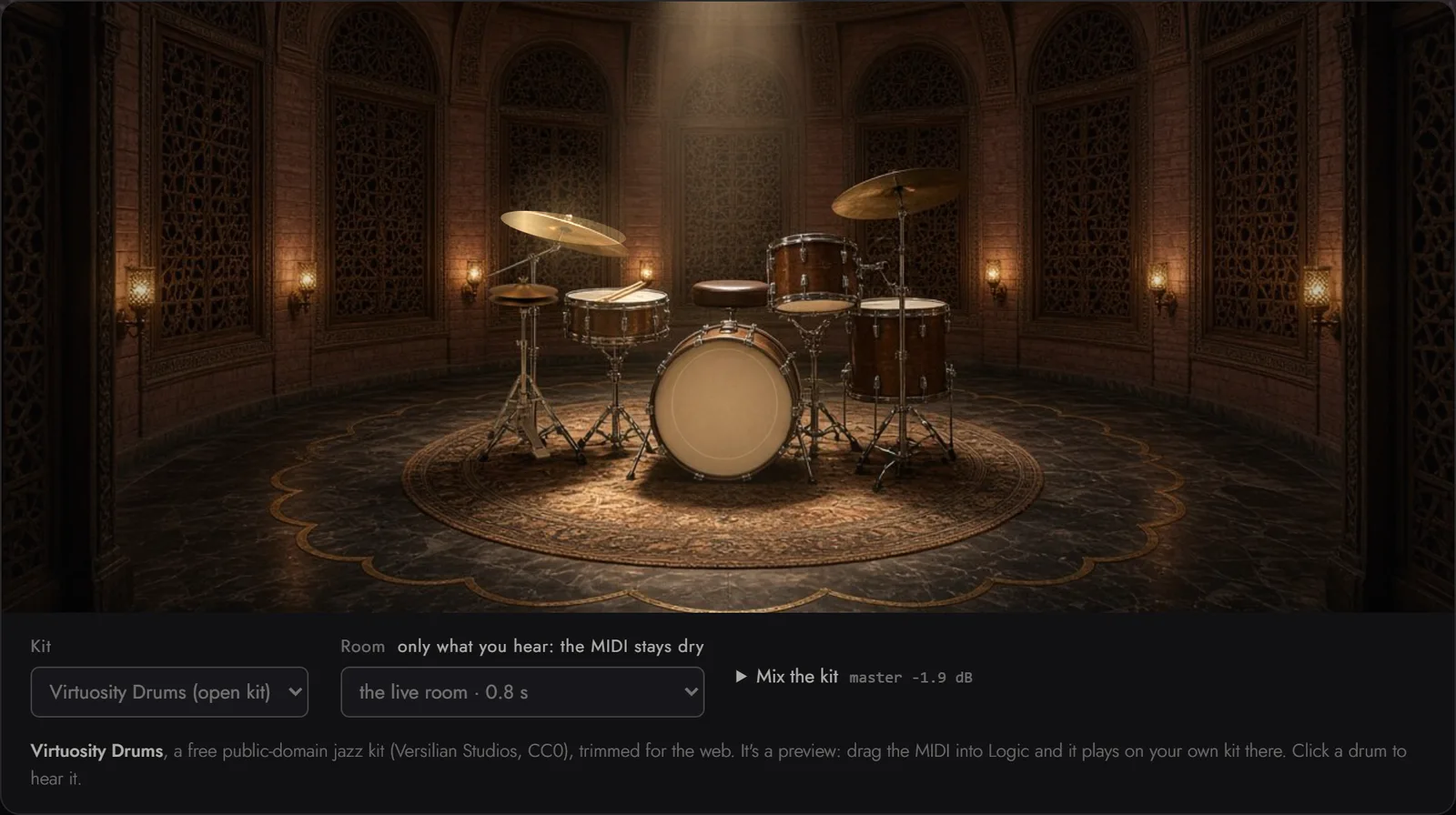
The kit and the room
- Click any drum or cymbal to hear it. The kit lights up as he plays: cymbals flash, heads pulse, the kick glows on the rug.
- Room changes both what you see and what you hear: the drum room is close and dry, the dome, the chamber and the stone room are longer and longer. The room is only for listening; the MIDI stays dry.
- Kit picks the samples. Here it's Virtuosity Drums, a free public-domain jazz kit from Versilian Studios, trimmed for the web. With brushes it plays a rough sketch made in the browser for now. On my own Mac it plays Logic's kits, which can't be shared here.
- Mix the kit opens a small console: a fader and a meter for the kick, snare, toms, hi-hat and cymbals, and the gold master fader at the end for the overall volume. Double-click any fader to put it back.
The tune
- Tune sets the form, the feel and a starting tempo. Pick My own form to type one: letters and bar counts like
A8 A8 B8 A8, or12for a blues. - Feel is swing, ballad, jazz waltz or bossa nova. In his hands is sticks or brushes.
- Tempo and Choruses set how fast and how long. The head sets how he plays the melody choruses: in 4, in 2, or in 2 with the bridge in 4 (swing only).
- Count-in, an ending hit, and feather the kick (a soft kick on every beat, the old way) are switches.
How he plays
These are knobs: drag up or down to turn one, and double-click to put it back where it started.
- Comping is how much he talks on the snare and kick, from sparse to busy.
- Setups & fills is how often he marks the seams of the form.
- Human loosens the timing and the dynamics, from machine to loose.
- Swing is the ride's long-short ratio. Leave swing follows tempo on and he eases toward straight eighths as the tempo climbs, the way drummers do on records.
- Snare & kick vs. ride sets the pocket: comping a few milliseconds behind the ride, or ahead of it.
A new take
Press ↻ new take or N and he plays the same tune again, differently. Space plays and stops.
The form and the bar
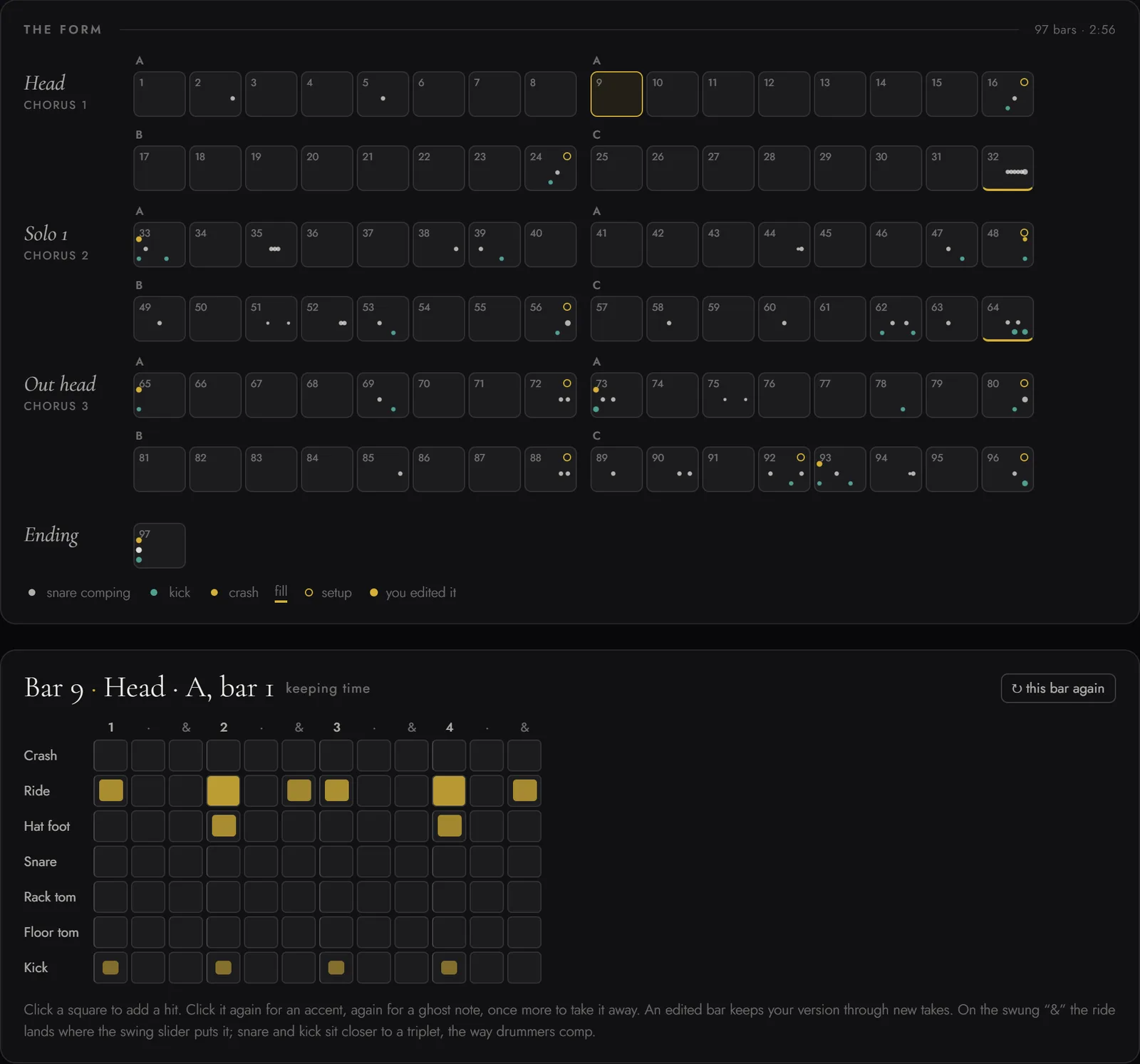
- The form shows every bar of the tune. Click a bar to start playing from there; shift-click to pick a run of bars, and turn on loop selection to loop them.
- The bar below shows that bar's hits. Click a square to add a hit, again for an accent, again for a ghost note, once more to take it away. An edited bar keeps your version through new takes.
- ↻ this bar again plays just that bar a new way; give it back drops your edit.
Into Logic
- ⤓ MIDI saves the tune as a MIDI file. In Chrome you can drag it straight onto a track in Logic.
- It's one General MIDI drum track with the tempo, the meter and the form as markers (Chorus 1 · A, and so on). Put it on a Drum Kit Designer kit, or any General MIDI kit, and it plays on that kit.
- Brushes use the General MIDI brush notes. Logic's Studio Brush Kit keeps its long swirl on another note, so MIDI note map at the bottom of the room has a one-click map for it.
Beside Logic: pop out
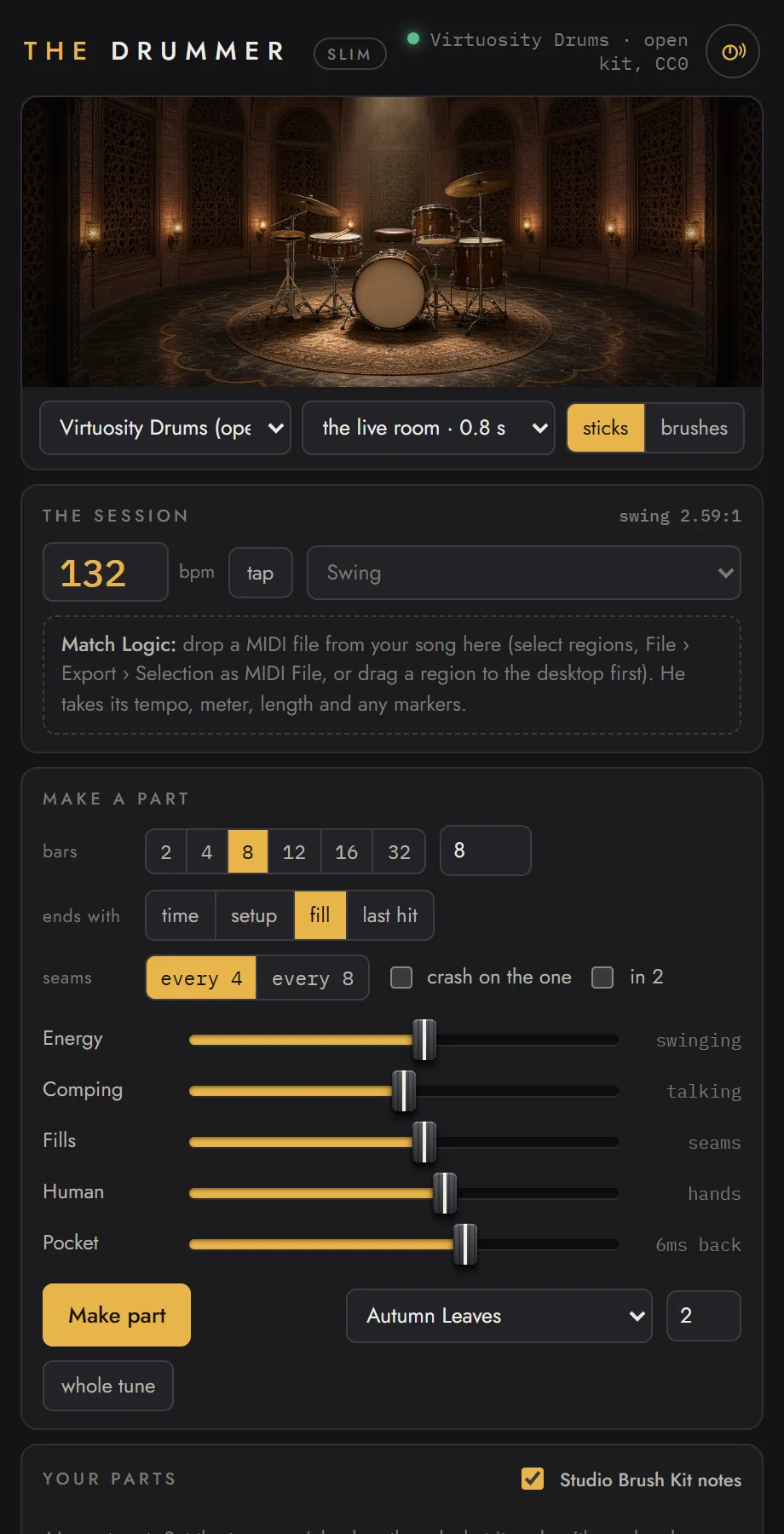
Pop out (top right) opens the same drummer as a slim window on the right of your screen, so Logic keeps the rest. It's for making parts for your own song:
- Match your song: type or tap its tempo, or drop a MIDI file exported from Logic on the box and he takes its tempo, meter, length and markers.
- Make a part: pick the length (2 to 32 bars), how it ends (just time, a setup, a fill or a last hit) and how it feels, then Make part. Or make a whole tune from the list.
- Your parts stack up in a list. Drag one by its ⠿ handle onto a track in Logic, or save it.
- The two windows share the tune, feel, tempo, kit and room, so a change in one shows up in the other. Only one plays at a time.