Room two
Sketchbook
The room for your own playing. Most ideas show up when you're not ready for them, so this one is built to be one press away.
Catch an idea
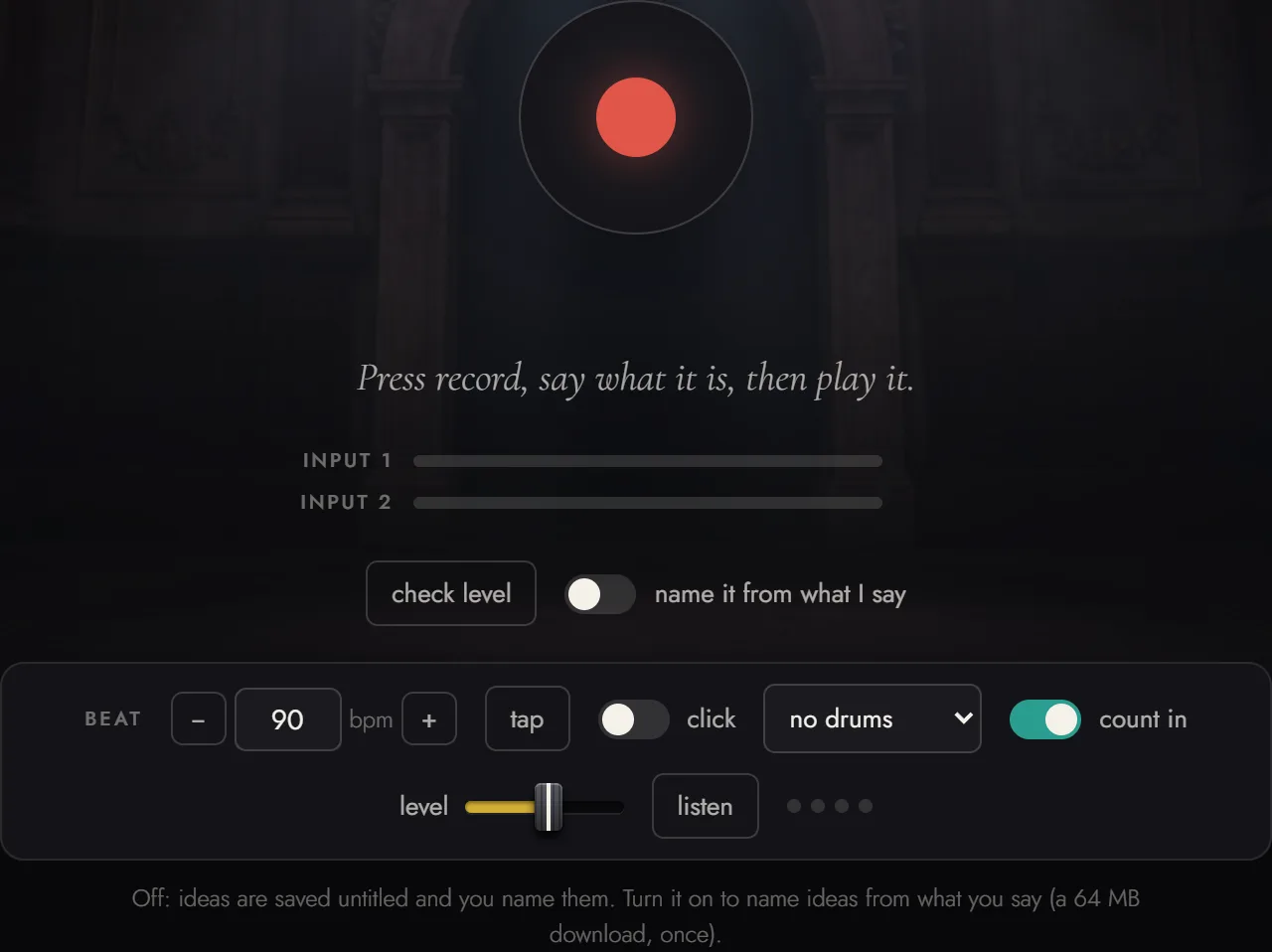
- Press record (the red button, or R). The first time, the browser asks to use your microphone or audio interface: allow it.
- Say what it is. "Slow one in open D, for the chorus." A few words is enough.
- Play it, then press record again to stop. The idea lands on the shelf below.
Switch on name it from what I say and the words at the start become the idea's name, with the full transcript kept alongside. The speech model is about 64 MB, downloads the first time, and then lives in your browser. Your recordings never leave your computer.
Getting a clean level
Pick your input from the menu, then press check level: it listens for three seconds and shows each input's level. On a two-input interface (a mic on one, the amp or guitar on the other) it keeps the input your playing is on, the one that stays loud across the take, so a few words into the talking mic never win over a whole take on the amp. It never mixes the two, because two mics on one guitar sound hollow when they're summed. Every idea is evened out to a consistent loudness.
A click and a beat
Under the record button is the beat row. Set the tempo with − and +, type it in, or tap it: press tap (or T) on a few beats. listen plays it without recording.
- click is only in your ears. It's never kept in the idea. You can switch it off halfway through a take once you've locked in.
- Drums: backbeat, kick + snare, soft kit, kick + shaker, jam band or brushes, the same grooves as Open Strings' band, played on the Studio's real drum kit (the one the Drummer plays; brushes and the shaker are still made in the browser). Drums are kept, as their own part: the idea plays as you over the drums, with a level for each, a timing nudge, and you on its own as a WAV for Logic.
- count in plays one bar of click before the drums come in.
Wear headphones, or the click and the drums get into your mic. The idea remembers its tempo and exactly where its beats fell, which is what lets a dub lock to it later.
Dub over a take
Did a take, and want to play on top of it? Press dub on that idea. A bar appears above the record button saying what you're dubbing over. Press record: the take plays and you play along, and it stops by itself when the take ends.
- The dub is saved as a new idea, "the name (dub)", over the take. The take you played over is left as it was, so a bad dub costs nothing: delete it and dub again.
- It plays as the two together, with a level for you and for the take, the timing nudge, and each part as its own WAV.
- If the take was recorded with the click or drums, the click follows its beat during the dub. A take recorded free has no beat to follow, so the click stays off.
- To stack a third part, dub over the dub.
- A little space on your part. Open the dub with more: under the levels, your part offers Dry, Room, Plate or Hall + echo, with an amount. Only your part gets it, never the take underneath, and your recording stays dry: it's a setting, heard when the idea plays and in its WAV, MP3 and art. Room and Hall are real spaces (an empty room in a house, and a small church, both shared freely on Freesound); the plate is made here, and the Hall's echo follows the idea's tempo.
The shelf
- Play any idea with its play button, or Space for the newest one.
- Rename it and add notes. Under more each idea also has a key, its chords, and where it went: the song it turned into. The search box looks through all of it and what you said.
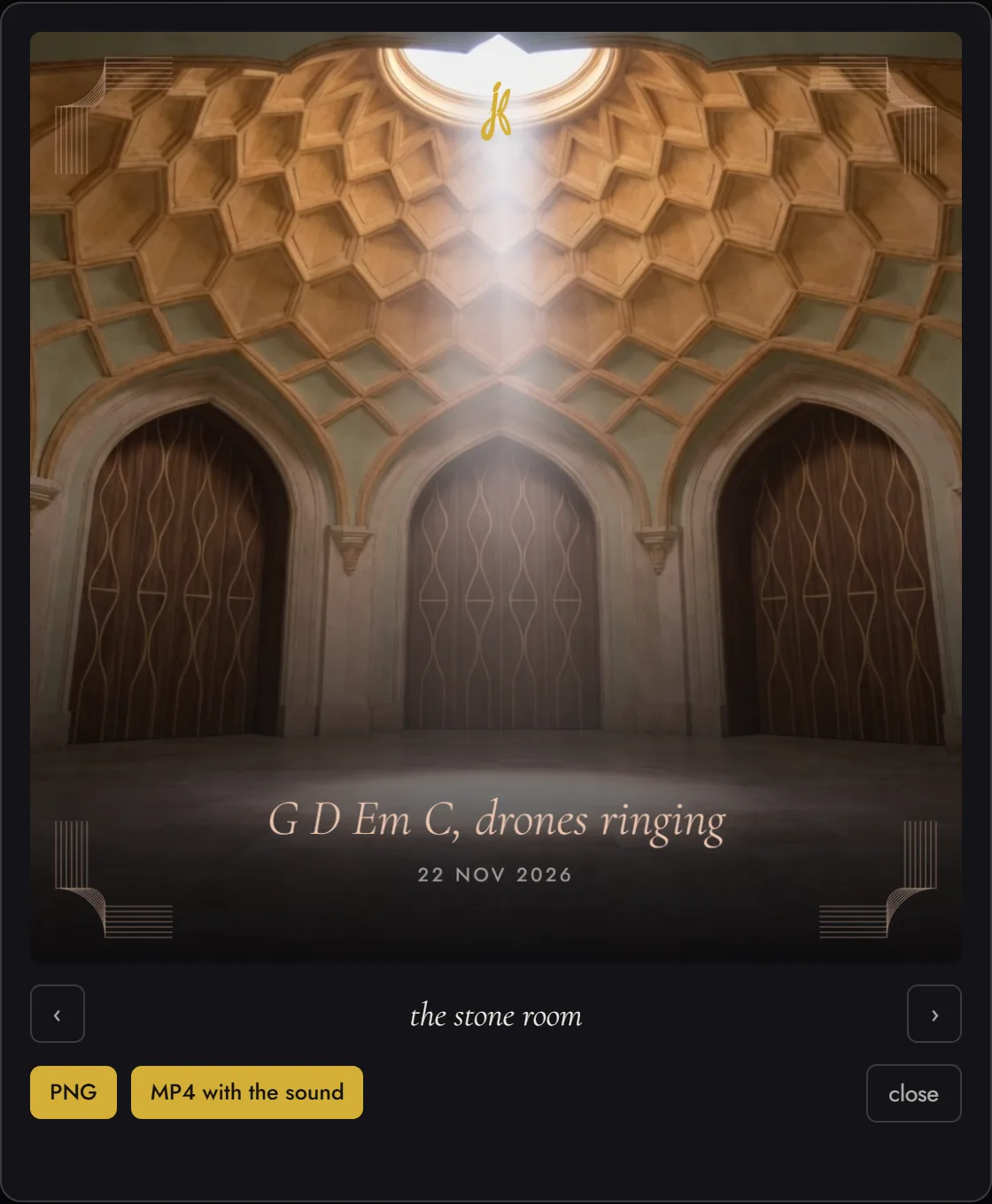
- art makes a square cover for an idea, over one of the Studio's rooms (the stone room, the dome, the dark chamber, the hall at dusk, the night garden, the koi pond from above), or one of three drawn covers: strings (your playing as marks across six lines, taken from the recording), type (the chords set big, like a jazz sleeve) and rings (the idea as a circle). Each carries its chords and details. Step through the rooms with ‹ ›, then save a PNG, or an MP4 with the sound, ready to post: the cover and the mix you hear, as a real MP4 that Instagram and the rest take. It takes a few seconds, about twenty for a two-minute idea.
- download everything saves every idea as a WAV, with a list of names, notes and transcripts.
Download what you love
Ideas are stored in this browser only. Clearing your browser's site data clears the shelf too, so download the ones you want to keep.
Sketch over a loop
This is where the two rooms meet. In Open Strings, the microphone button beside record, sketch or K, records you while the band plays.
- Put on headphones, so the band doesn't leak into your mic.
- Press sketch. If a take is playing, you sketch over that take. Otherwise you sketch over the loop, and the band starts if it wasn't already.
- Play, then press sketch again to keep it.
The sketch goes to your Sketchbook with the band's part attached and lined up with yours. It plays and downloads as the mix: you over the band. The button next to sketch in Open Strings lists your latest sketches, so you can hear them without leaving the room.
Walk into the Sketchbook →