

Open Strings · one minute
Your first loop
Three moves. The little coach at the bottom of the room walks you through the same three the first time you visit.
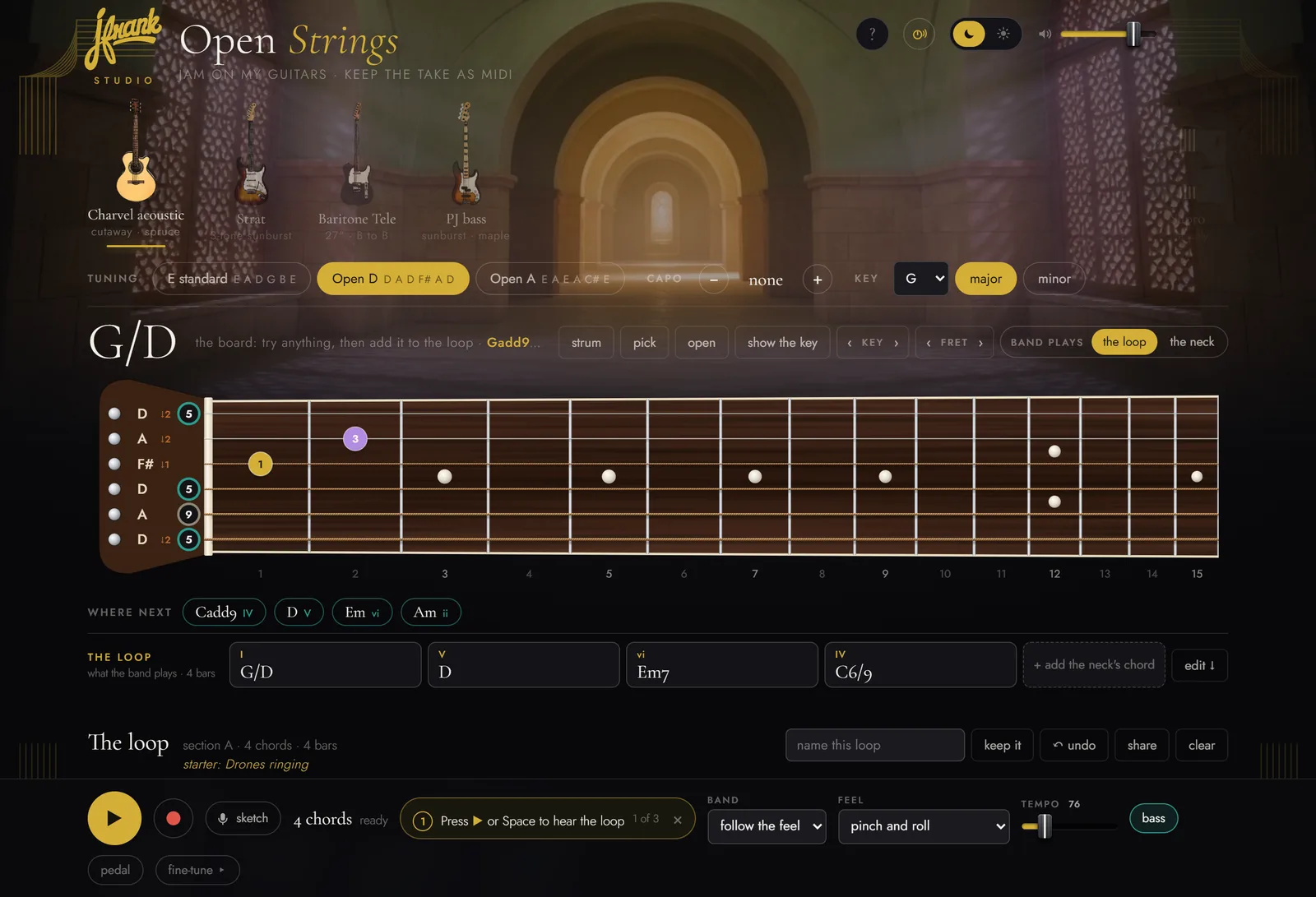
- Hear it. Open Open Strings and press the big ▶ at the bottom, or Space. The band plays the loop in the strip under the neck: my guitar, my bass if it's on, and a drummer. The neck lights up with each chord as it plays.
- Change a chord. Click any chord in the loop, the row of chords just under the neck. It's now swapping: every chord card further down the page (the Find chords tabs) drops into that slot when you click it, and you hear it straight away while the band keeps going. Try a few. Press Esc when you like what you hear.
- Keep it. Press record or R. Recording starts on the next bar and stops at the end of the bar when you press it again. The take lands under Takes, where you can play it, star it, save it as a MIDI file, or drag it straight onto a track in Logic.
Don't want to pick anything?
Under Find chords › Start here, pick a style (songwriter, open tunings, jam band, jazz, blues, or my songs) and press load on a loop: it sets up the guitar, the band, the feel and the tempo for you. Or press ✦ write me one (or N). It writes a new progression for the guitar and tuning you're on, voiced so the chords sit close under the hand. Press it again for another.
Where to go next
- Pick a different guitar or tuning at the top: the guitars and tunings.
- Put your own chords on the neck and build a loop from scratch: the neck and the loop.
- Change who plays with you (songwriter, jam band, jazz with brushes, or just you) and how (fingerpicking, a strum on the one, bossa, swing, a big room): the band.
- Press D and my hand fingerpicks whatever is on the neck until you press it again: the neck.
- Play your own guitar over the loop and keep the recording: sketch over a loop.